| Exam Name: | CompTIA A+ Core 1 Exam (2025) | ||
| Exam Code: | 220-1201 Dumps | ||
| Vendor: | CompTIA | Certification: | A+ |
| Questions: | 405 Q&A's | Shared By: | avery |
An office manager reports that a printer is experiencing performance issues. Printouts are smudging when they are handled, and, recently, whenever the manager tries to print oversized documents, the paper jams before anything is printed on it.
INSTRUCTIONS
Using the available printer parts, replace only the faulty components on the office printer to resolve the stated issues.
If at any time you would like to bring back the initial state of the simulation, please click the Reset All button.

A technician is installing a wireless access point and is required to run all cabling and make patch cords if necessary.
INSTRUCTIONS
Part 1
For each cable type, click the (+) to select the appropriate connector and tool.
part 2
An access point was moved and no longer has connectivity. Connect the access point, patch panel, and switch by clicking the (+) to select the appropriate cable end for each corresponding location to create a link.
The link will be visible after making the second selection of each pair.
Cable ends may be used multiple times, and all placeholders will be filled.

Laura, a customer, has instructed you to configure her home office wireless access point.
She plans to use the wireless network for finances and has requested that the network be setup with the highest encryption possible.
Additionally, Laura knows that her neighbors have wireless networks and wants to ensure that her network is not being interfered with by the other networks.
She requests that the default settings be changed to the following.
Wireless Name: HomeWiFi
Shared Key: CompTIA
Router Password: Secure$1
Finally, Laura wants to ensure that only her laptop and Smartphone can connect to the network.
Laptop: IP Address 192.168.1.100
Hardware Address: 00:0A:BF:03:C4:54
Smartphone: IP Address 192.168.1.101
Hardware Address: 09:2C:D0:22:3F:11
INSTRUCTIONS
Configure Laura’s wireless network using the network adapter window.
If at any time you would like to bring back the initial state of the situation, please click the Reset All button.


A third-party contractor recently installed a new switch, router, and cabling for a small
corporate office. After the installation, users started experiencing issues connecting to
resources over the network.
INSTRUCTIONS
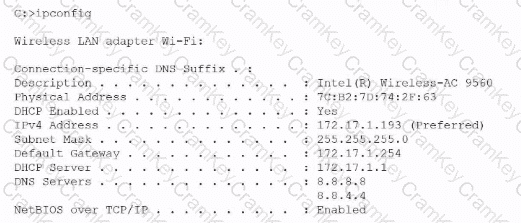
Click on each PC and server to review outputs. From the remediation section on
the right, select an issue and solution for each device.