CompTIA A+ Core 2 (2026 Exam Update)
Last Update Oct 18, 2026
Total Questions : 325
To help you prepare for the 220-1202 CompTIA exam, we are offering free 220-1202 CompTIA exam questions. All you need to do is sign up, provide your details, and prepare with the free 220-1202 practice questions. Once you have done that, you will have access to the entire pool of CompTIA A+ Core 2 (2026 Exam Update) 220-1202 test questions which will help you better prepare for the exam. Additionally, you can also find a range of CompTIA A+ Core 2 (2026 Exam Update) resources online to help you better understand the topics covered on the exam, such as CompTIA A+ Core 2 (2026 Exam Update) 220-1202 video tutorials, blogs, study guides, and more. Additionally, you can also practice with realistic CompTIA 220-1202 exam simulations and get feedback on your progress. Finally, you can also share your progress with friends and family and get encouragement and support from them.
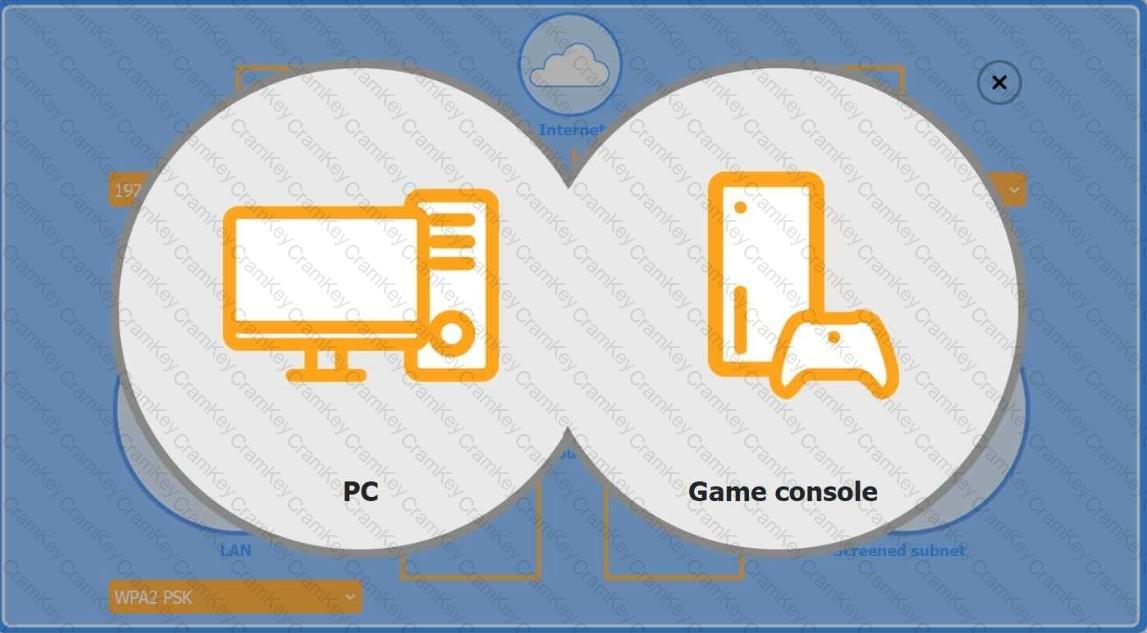
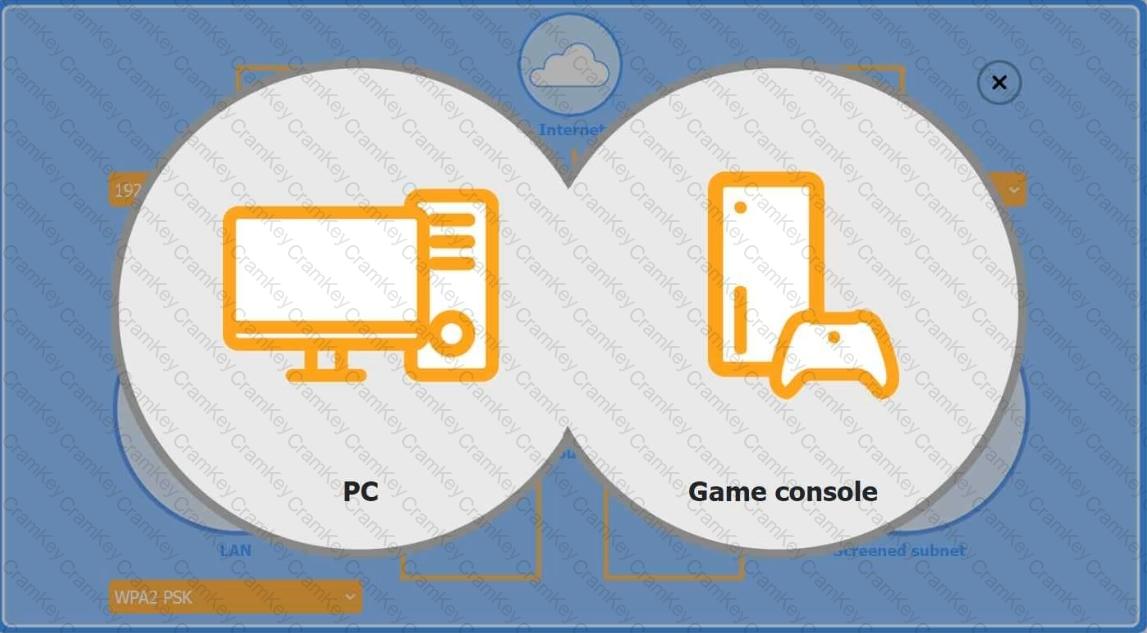
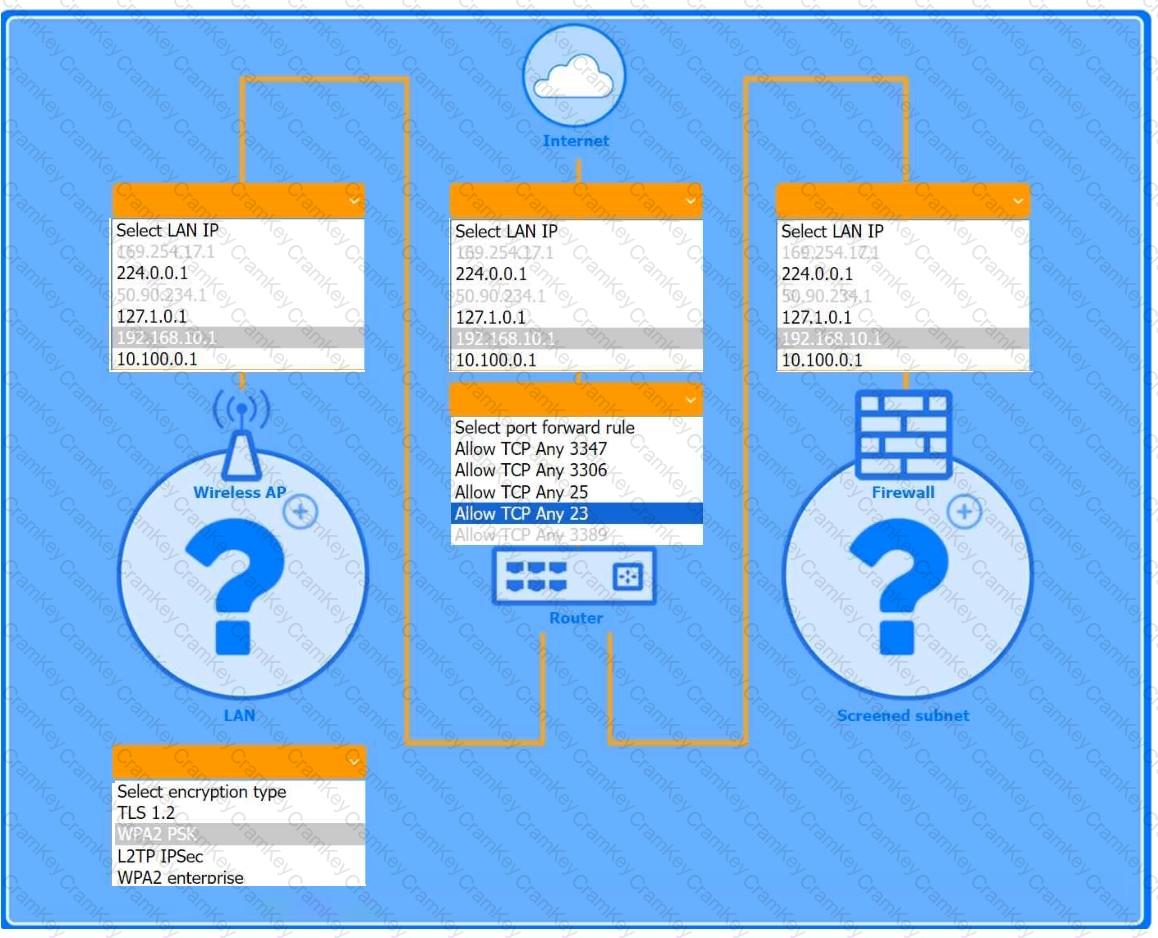
You are configuring a home network for a customer. The customer has requested the ability to access a Windows PC remotely, and needs all chat and optional functions to work in their game console.
INSTRUCTIONS
Use the drop-down menus to complete the network configuration for the customer. Each option may only be used once, and not all options will be used.
Then, click the + sign to place each device in its appropriate location.
If at any time you would like to bring back the initial state of the simulation, please click the Reset All button.
Wireless AP LAN
Firewall Screened Subnet
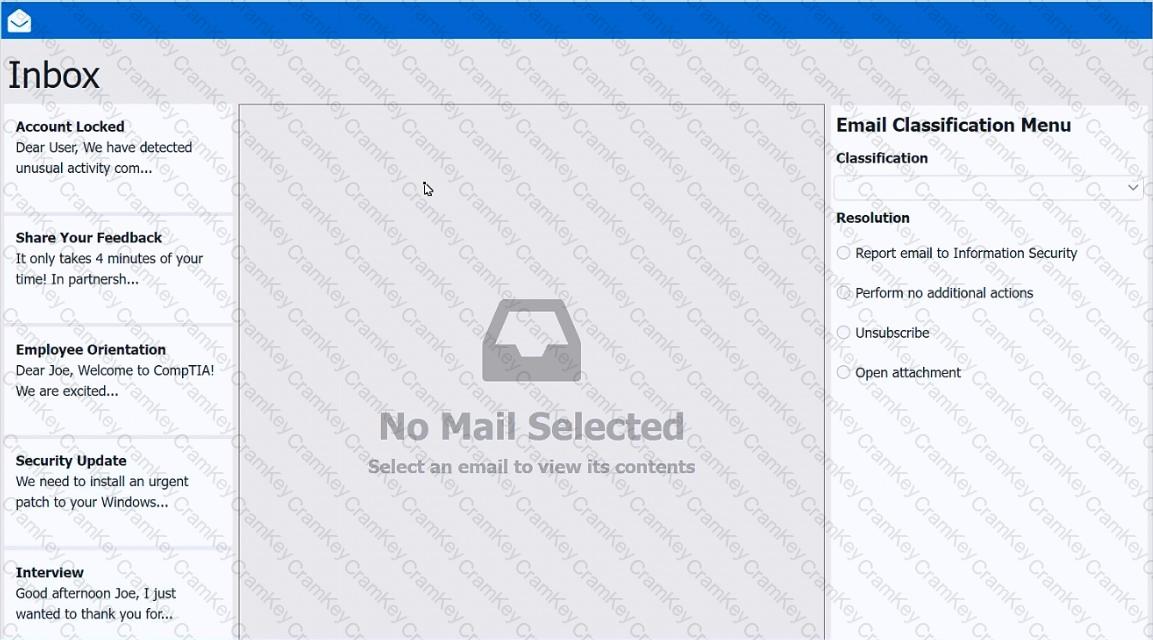
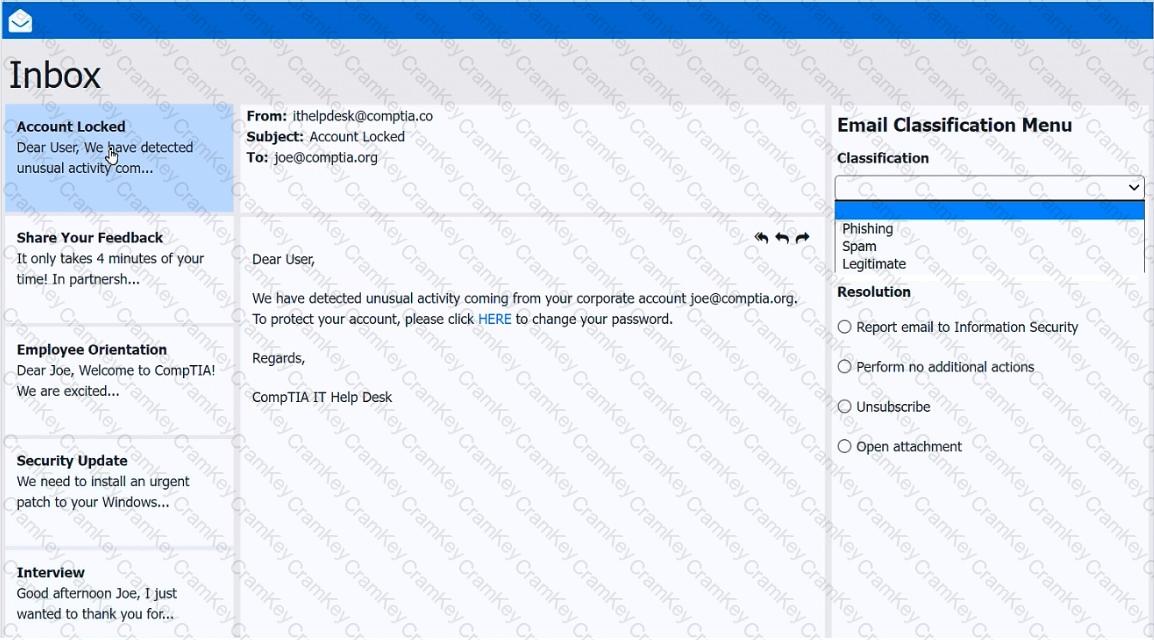
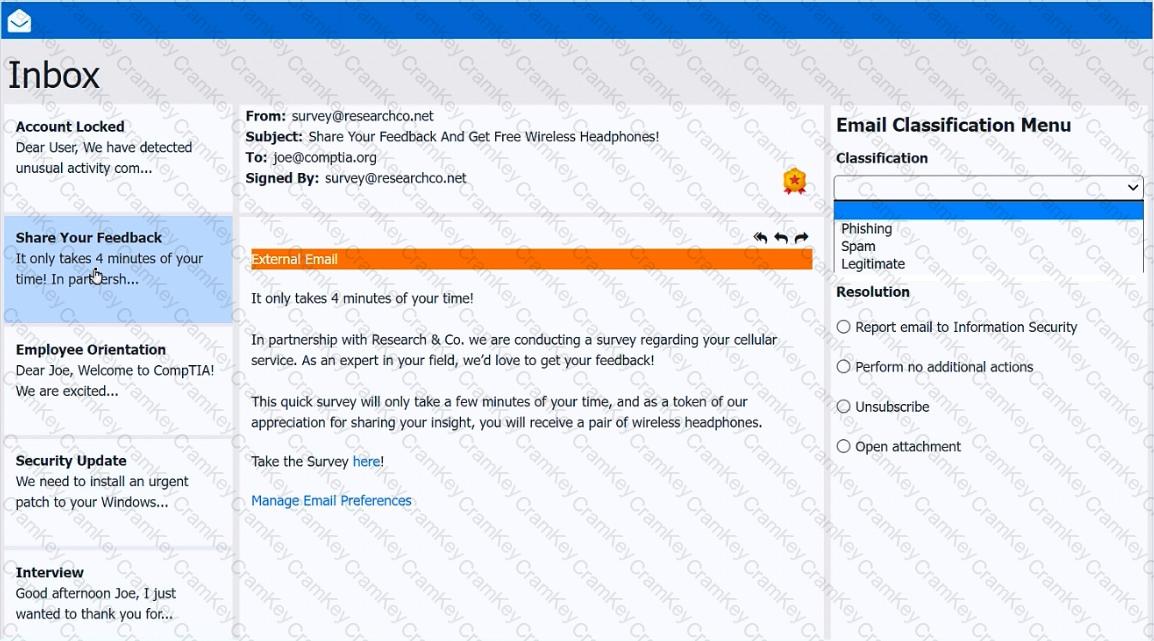
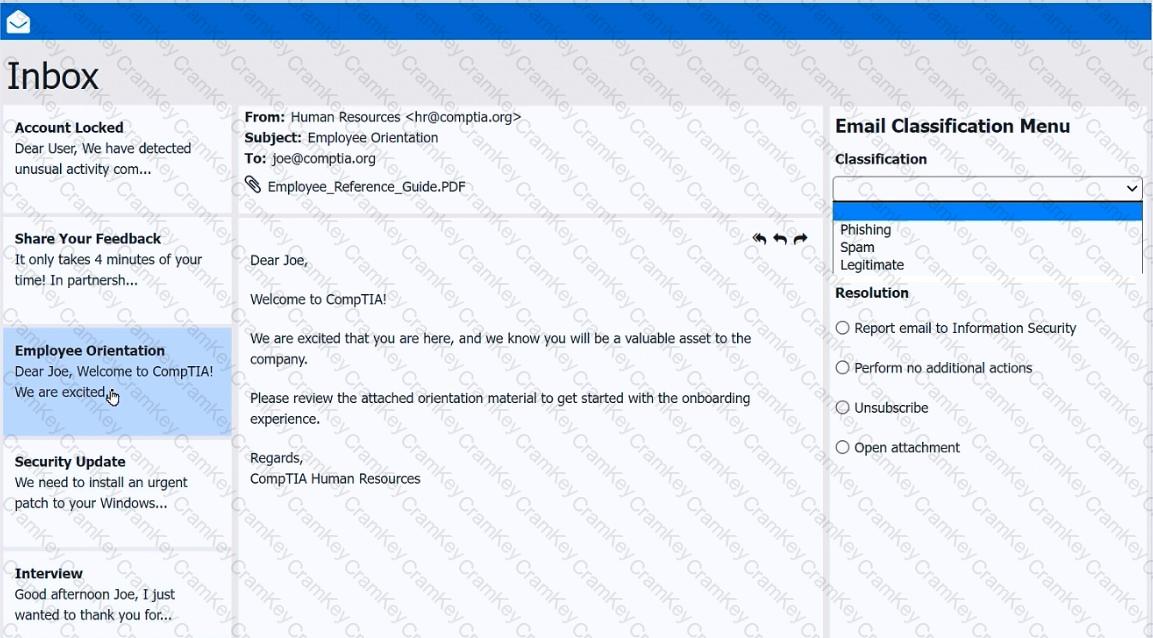
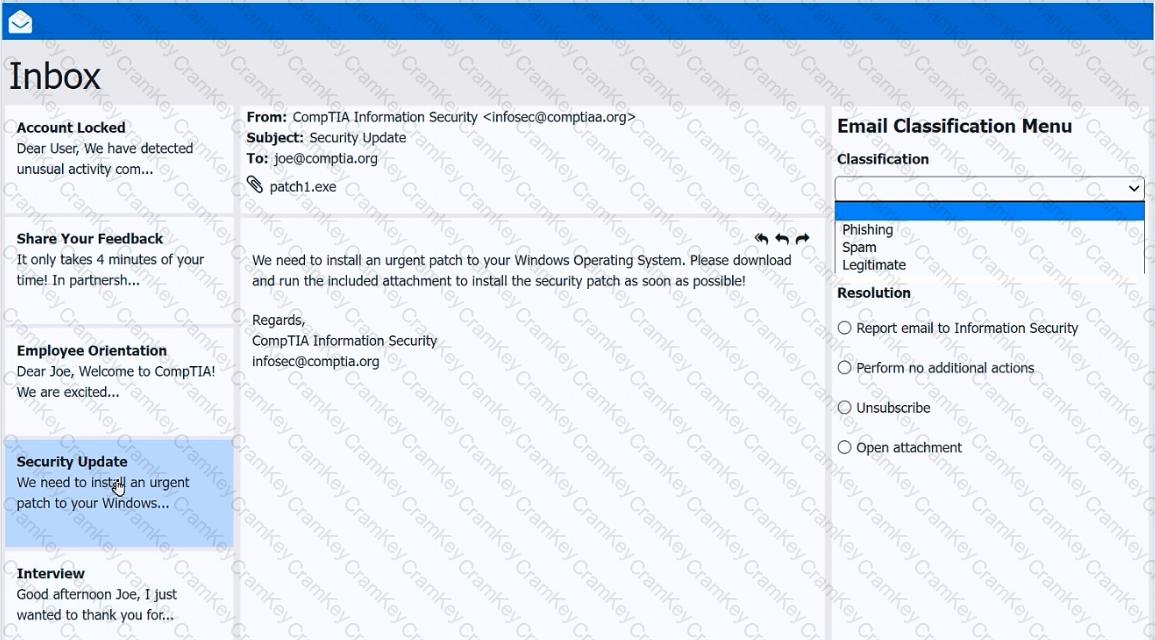
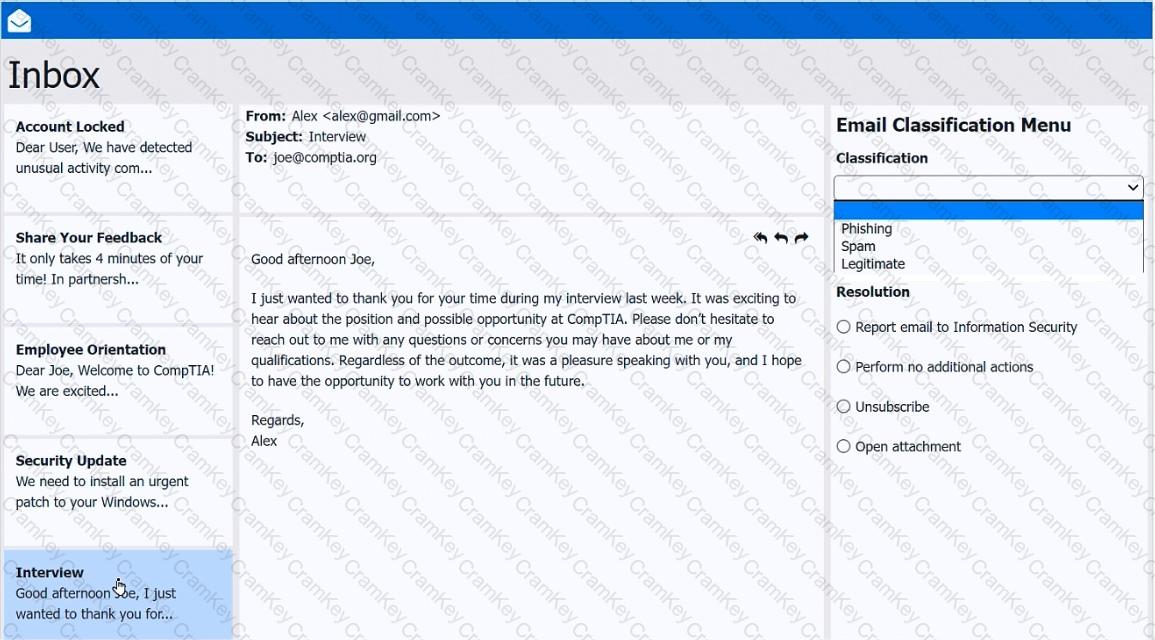
As a corporate technician, you are asked to evaluate several suspect email messages on a client ' s computer. Corporate policy requires the following:
> All phishing attempts must be reported.
> Future spam emails to users must be prevented.
INSTRUCTIONS
Review each email and perform the following within the email:
> Classify the emails
> Identify suspicious items, if applicable, in each email
> Select the appropriate resolution
If at any time you would like to bring back the initial state of the simulation, please click the Reset All button.
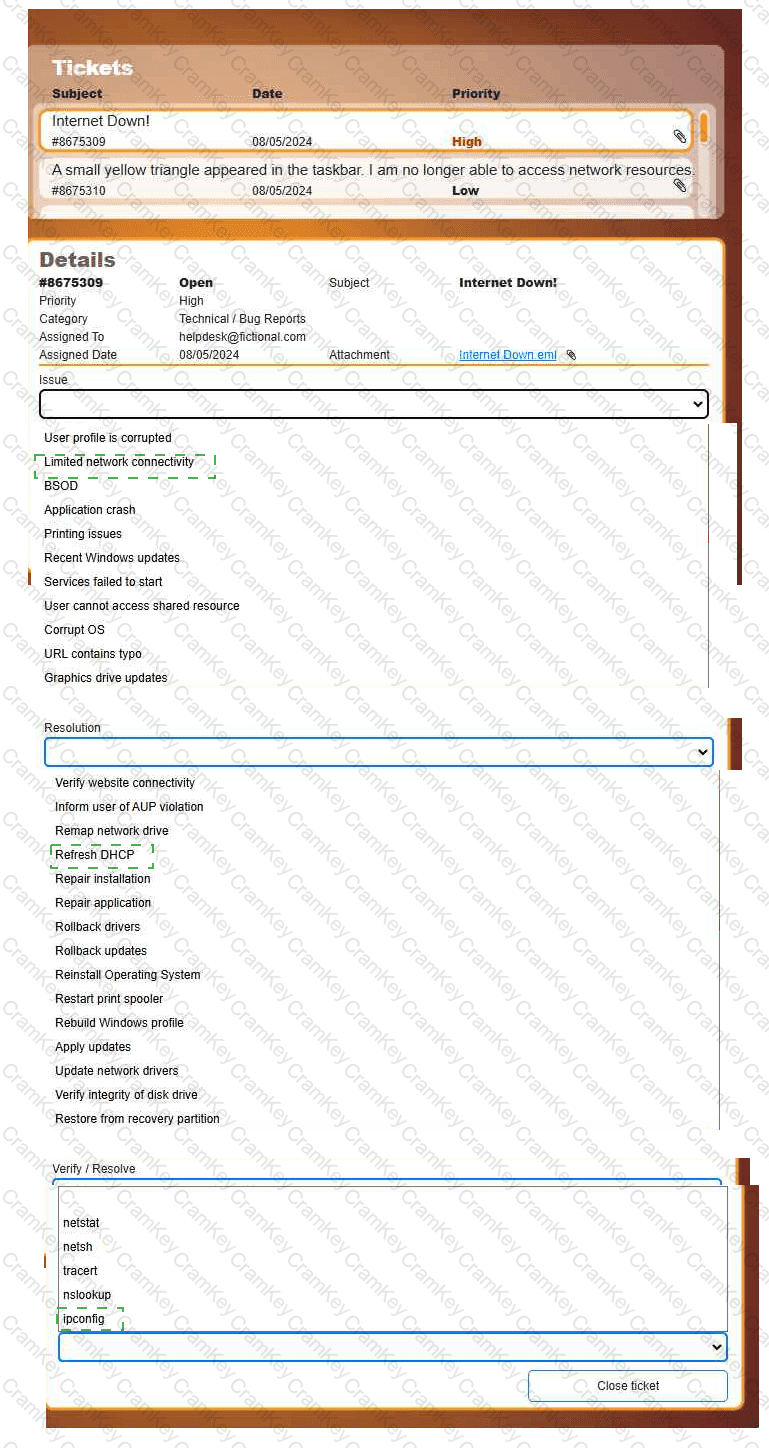
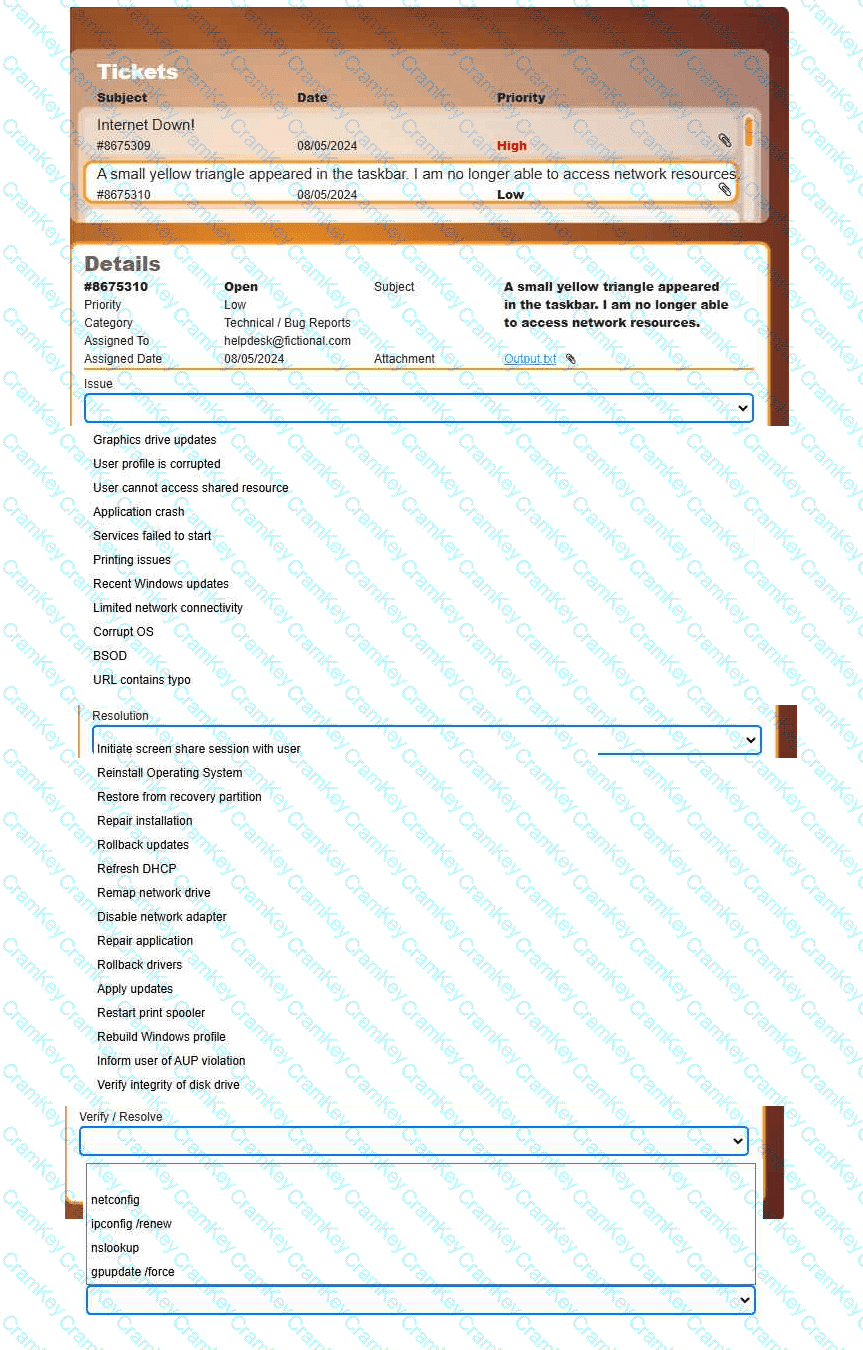
Welcome to your first day as a Fictional Company, LLC helpdesk employee. Please work the tickets in your helpdesk ticket queue.
INSTRUCTIONS
Click on individual tickets to see the ticket details, and view applicable attachments to
determine the problem.
Select the appropriate issue from the ' Issue ' drop-down menu. Then, select the most
efficient resolution from the ' Resolution ' drop-down menu. Finally, select the proper
command or verification to remediate or confirm your fix of the issue from the
' Verify/Resolve ' drop-down menu.
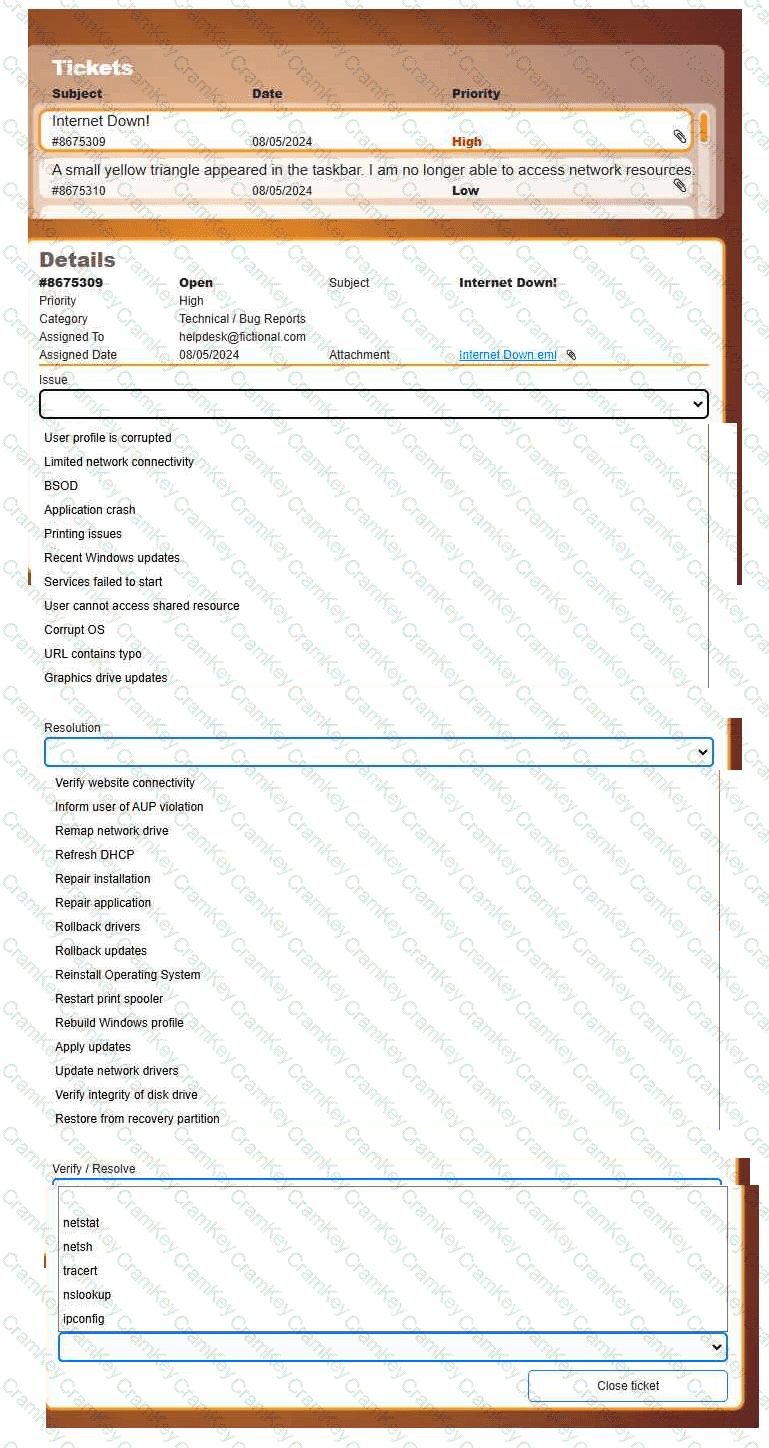
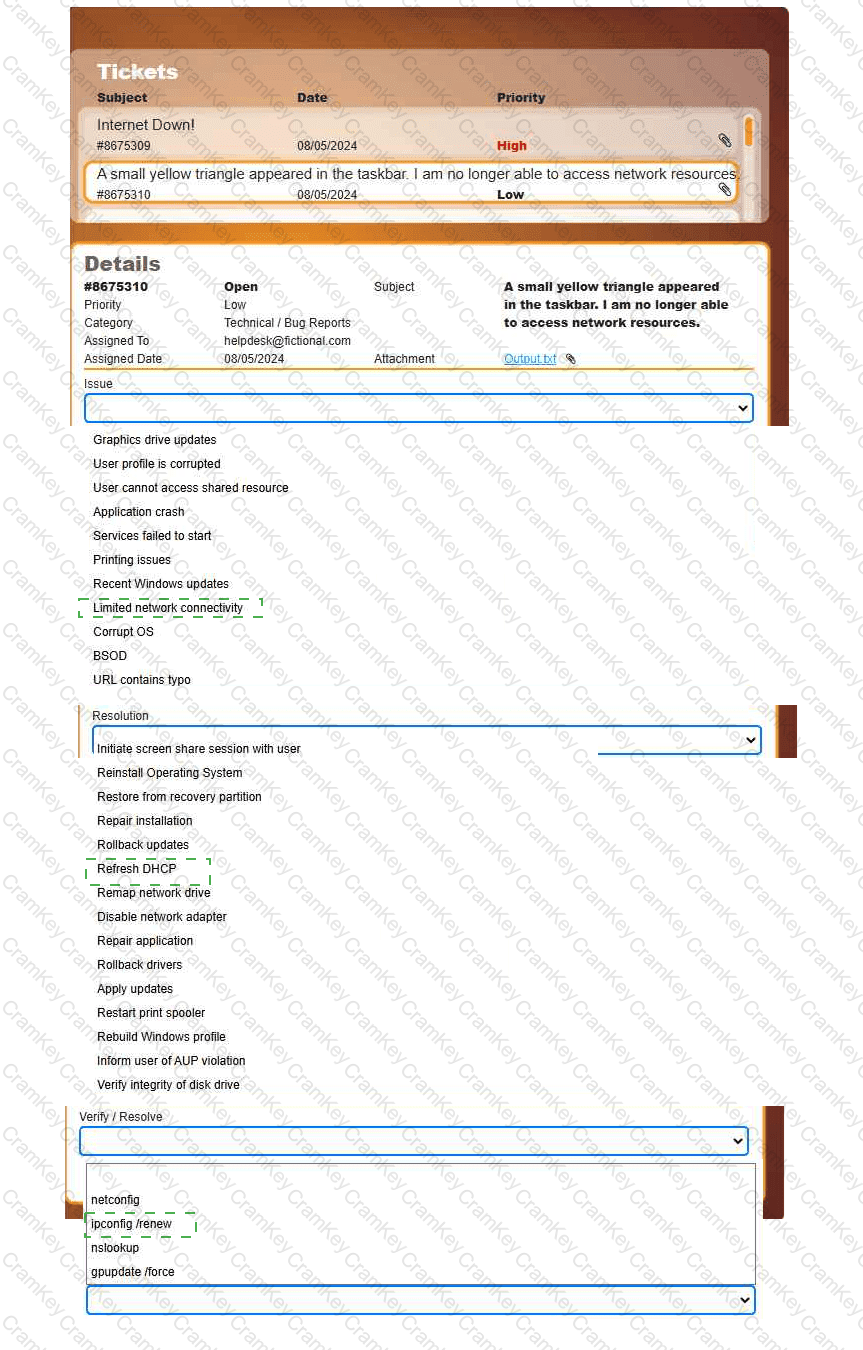
Welcome to your first day as a Fictional Company, LLC helpdesk employee. Please work the tickets in your helpdesk ticket queue.
INSTRUCTIONS
Click on individual tickets to see the ticket details, and view applicable attachments to
determine the problem.
Select the appropriate issue from the ' Issue ' drop-down menu. Then, select the most
efficient resolution from the ' Resolution ' drop-down menu. Finally, select the proper
command or verification to remediate or confirm your fix of the issue from the
' Verify/Resolve ' drop-down menu.

TESTED 18 Oct 2026